
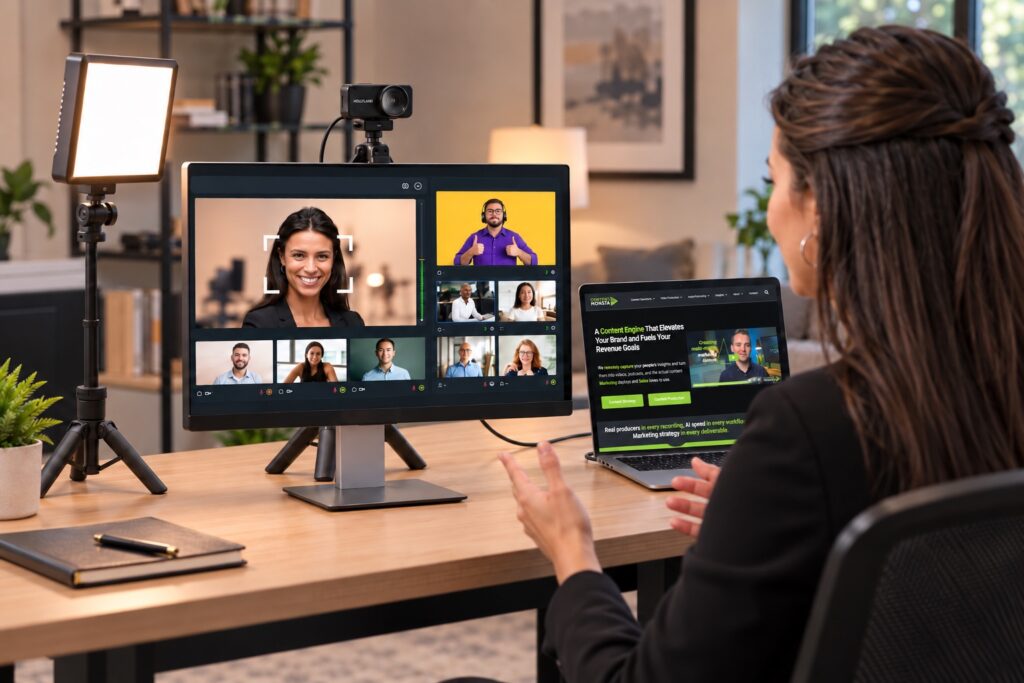
Content Monsta remote production kit

Remote Video Production Solves Content Creation Challenges

Remote video production lets a company record its experts on professional-quality video from wherever they work, with no film crew, no studio, and no travel. It removes the three things that stall business video projects: scheduling, cost, and distance.

When experts sit in different offices, cities, or time zones, a traditional shoot means booking a crew for each location or flying everyone to one studio. Remote video production replaces that with a live producer who directs each session from a distance while the expert records from their own desk. The answers below cover how it works, what it takes, and how to pick the right partner.

What is remote video production?

Remote video production is a way to capture high-quality business video of people in different locations without sending a crew to any of them. A professional producer connects to each person over the internet, controls the recording from a distance, and guides the conversation in real time.

The person on camera stays at their own desk. The producer sees what the camera sees, adjusts settings such as focus and exposure, and coaches delivery as the session happens. The video records locally on the subject’s device at full quality, then uploads to the production team for editing. This makes it possible to record the people whose knowledge matters most, even when they are spread out:
  • Subject matter experts (SMEs) who hold the technical knowledge buyers need, often several levels below the executive team
  • Thought leaders whose opinions and experience set your company apart
  • Company leadership who rarely have a free half day for a crew shoot
  • Professionals in the field, such as physicians, advisors, consultants, or engineers, who work across many locations
  • Customers and prospects who can share a testimonial or perspective without anyone visiting their office
A company with experts in Atlanta, Chicago, and Philadelphia can record all three in the same week, with one producer, and never book a plane ticket. Each session books like a regular meeting and fits into the expert’s day. Content Monsta has used this approach to record physicians across the country for Vituity, advisors across 16 independent agencies for Lightwell Insurance Advisors, and instructors and executives for more than 35 course videos for TruEra.

Remotely Produced Video Examples

How does remote video production work?

Remote video production works in six steps: plan the topics, ship the equipment, book the session, record with a live producer, review the edit, and deliver the finished video. Here is how each step runs at Content Monsta.

  1. 01
    Plan the topics
    Your team and producer agree on what each video covers. For ongoing programs, topics start with the questions your Sales team hears from buyers.
  2. 02
    We ship a desktop production kit
    A one-cable 4K kit arrives at each expert's desk, ready to plug in. No IT setup and no return shipping.
  3. 03
    Book it like a meeting
    Sessions are booked for one hour and typically run about 45 minutes. Need to reschedule? Move the invite.
  4. 04
    Record with a live producer
    Your producer adjusts the camera, guides the conversation, and catches retakes in the moment.
  5. 05
    Edit and review in Frame.io
    First drafts in 5 to 7 business days, finals usually within 10. Every reviewer comments in one place, and you approve each video.
  6. 06
    Deliver and publish
    Finished videos land in your client portal, and we can upload them to your YouTube channel with chapter timestamps.

Editing is included in every Content Monsta package, so there is no separate editing bill after the recording is done.

Content Monsta has run this process with companies in regulated industries, companies with complex approval chains, and teams with very busy executives.
How to choose a remote video production company?

Choose a remote video production company based on how it handles your people, your approvals, and your goals. Every provider will show polished sample videos. The real differences show up in the process. Use these questions when comparing providers:
Question to ask What a strong answer sounds like
Is a live producer in every session? Yes. A producer directs, coaches, and catches retakes in real time, instead of sending a self-record link.
Where is the video recorded? Locally on the subject's device at full resolution, then uploaded. Not captured from a streaming call.
What does my expert need to set up? A simple kit that plugs in without IT help and does not need to be shipped back.
How fast is the first draft? A specific number of business days, stated up front.
Is editing included? Yes, in the package price. Some providers bill capture and editing separately, which raises the real cost.
How do approvals work? Marketing, leadership, and legal or compliance comment in one shared review tool, and nothing publishes without your sign-off.
Who decides what the videos cover? A team with marketing and sales experience helps choose topics that support your brand and your pipeline.
Who owns the files and channels? You do. Finished assets stay available to you, including content from past projects.
Have you worked in regulated industries? Yes, with examples of how scripts, disclosures, and reviews were handled.

One more test: be cautious of any provider that promises to measure the pipeline or revenue influence of your videos without deep access to your CRM and your full sales process. Without that access, those numbers are guesses. A good partner will tell you what can be measured and how to connect content to Sales activity inside your own systems.

Content Monsta is led by A. Lee Judge, author of CASH: The 4 Keys to Better Sales, Smarter Marketing, and a Supercharged Revenue Machine. Clients get production and practical advice on matching video content to what their Sales team needs.

Why is remote video production any better than recording a conference call or Zoom?

A Zoom or Teams recording captures the video after it has been compressed to travel over the internet, while remote video production records the full-quality file on the expert’s own device. That single difference decides whether the result looks like a meeting or like professional content. Conference software shrinks video to fit the connection. When bandwidth dips, the picture blurs, frames freeze, and audio cuts out, and all of that ends up in the recording. With remote video production, the camera records locally in up to 4K. A weak connection may affect the live preview, but it never touches the file that gets edited. The second difference is the person behind the camera. A conference call has no one checking the framing, the light, or the sound. A remote producer does all three and coaches the expert through the conversation.
Feature Conference call recording Remote video production
Video quality Compressed to fit the connection Recorded locally in up to 4K
Effect of a weak connection Blur, frozen frames, dropped audio in the recording Preview may lag; the recorded file is unaffected
Camera and lighting Whatever the laptop shows Adjusted by the producer during the session
Audio Built-in laptop microphone Dedicated microphone in the recording kit
Coaching None Live producer guides answers and retakes
Editing Up to your team Included, with a first draft in 5 to 7 business days

A conference recording works fine for an internal meeting. For content that represents your brand to buyers, the difference is visible in the first few seconds.

What equipment is needed?

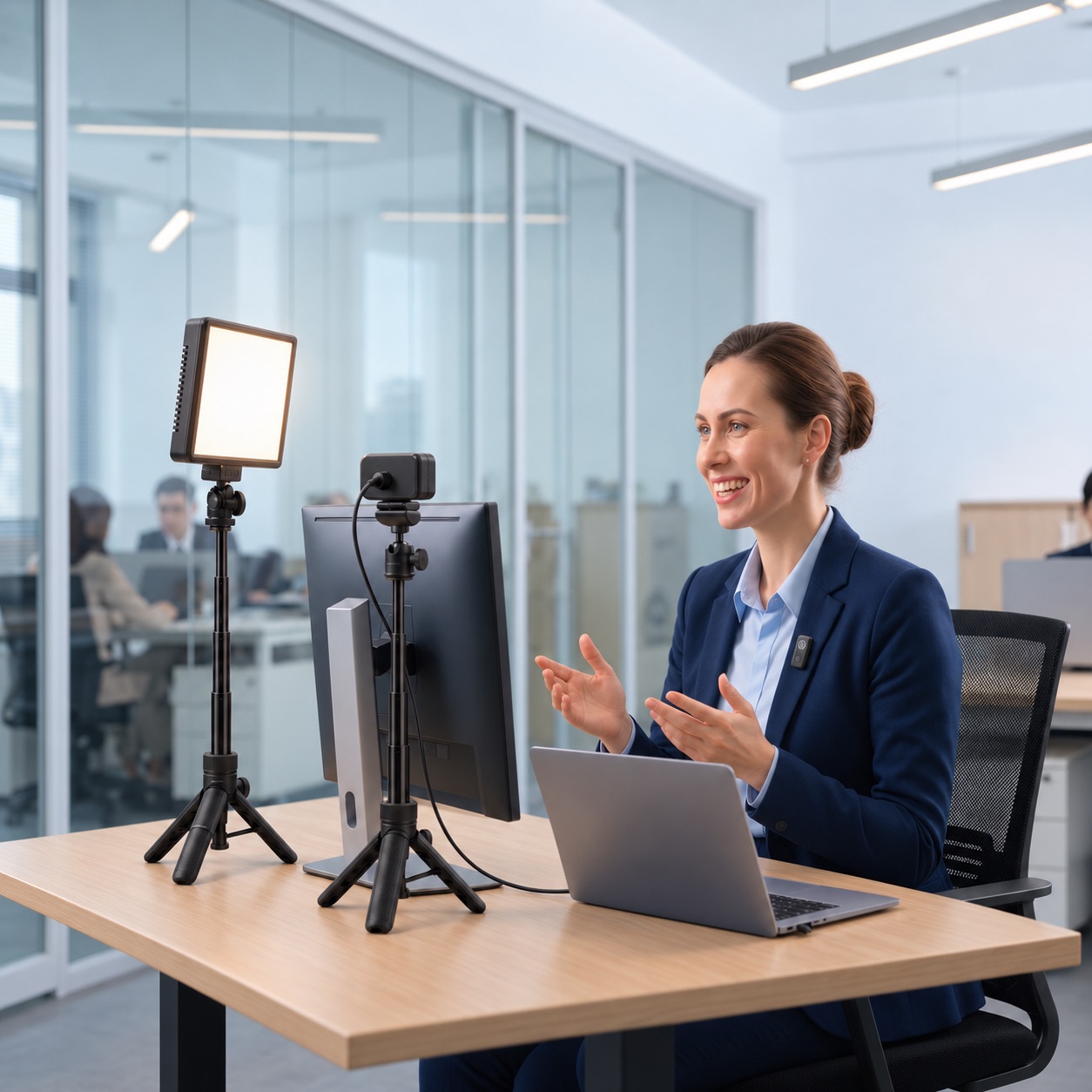
The expert needs a laptop, a steady internet connection, and a quiet room. Content Monsta supplies the rest. For the key people you plan to record often, such as executives, SMEs, and thought leaders, Content Monsta ships a desktop recording kit straight to their desk. The kit is built for busy people who don’t have time to fiddle with gear:
  • A 4K camera that connects to the laptop with a single cable
  • A dedicated microphone for clear audio that a laptop mic can’t match
  • Lighting that is simple to set up and makes a clear difference on camera
  • Clear instructions, so nobody from IT needs to get involved
The kit does not need to be shipped back. It stays with the expert, ready for the next session. For people you may record only once, such as a customer sharing a testimonial, a kit is often not needed. They can join from their smartphone using an app built for remote recording, and the producer adjusts the camera settings remotely to get the best picture possible. A few simple steps help any session look better:
  • Sit facing a window or light source, never with a window behind you
  • Choose a background without clutter or moving objects
  • Close doors and silence phones and notifications
  • Plug the laptop into power for the length of the session

What your executive experiences

A recording session fits into an executive's day the same way any other meeting does. Executives in different offices and cities each record from their own desks, with no travel and no studio.

Books like any meeting
Once you sign, sessions go straight onto every attendee's calendar. You can be recording in days instead of weeks.
One cable, 4K video
A simple desktop kit connects to the laptop with a single cable and captures 4K video with clear audio.
No IT help, no return shipping
The kit arrives with clear instructions and stays with your executive, so nobody from IT needs to get involved.
Reschedule by moving the invite
There's no crew waiting on site, so a meeting that runs long doesn't turn into a costly rebooking.
A live producer every time
Your producer guides the conversation and catches retakes in the moment, before anyone has to watch a draft.
Optional pre-interview
A short prep session to check the camera setup and walk through the conversation ahead of time.

What if we need to read a script or teleprompter to maintain compliance?

Yes, experts can read an approved script word for word. The Content Monsta producer runs a teleprompter during the session, and can update the script in real time if a line needs to change.

Here is how a compliance-sensitive session typically runs:

  1. Approve the script first. Your legal or compliance team signs off on the wording before the session, and the producer loads that approved version.
  2. Read from the teleprompter. The producer controls the pace, so the expert reads naturally and doesn’t rush or lose their place.
  3. Adjust on the spot. If a reviewer on your side asks for a change, the producer can update the teleprompter text during the session instead of rebooking.
  4. Review before anything publishes. Legal and compliance reviewers leave frame-accurate comments on the edited draft in Frame.io, right alongside Marketing and leadership. Nothing goes public until you approve it.

Many compliance teams need exact wording only for certain parts of a video, such as disclosures, product claims, or regulated statements. In those cases, a blended approach works well. The expert reads the required language from the teleprompter and answers the rest from a short list of bullet points. The regulated parts stay exact, and the rest sounds like a real conversation instead of a reading.

Content Monsta has produced video for companies in highly regulated fields, including physicians at Vituity, insurance advisors at Lightwell, and financial advisors.


Ready to record your experts?

Your best content is already inside your company, in the heads of experts who don’t have time for a crew shoot. Remote video production gets that knowledge on camera from wherever they work, with a live producer, editing included, and a review process your compliance team can trust.

Book a free consultation to talk through who you want to record and which videos to create first. You can also see how Content Monsta turns these recordings into YouTube videos for business.